
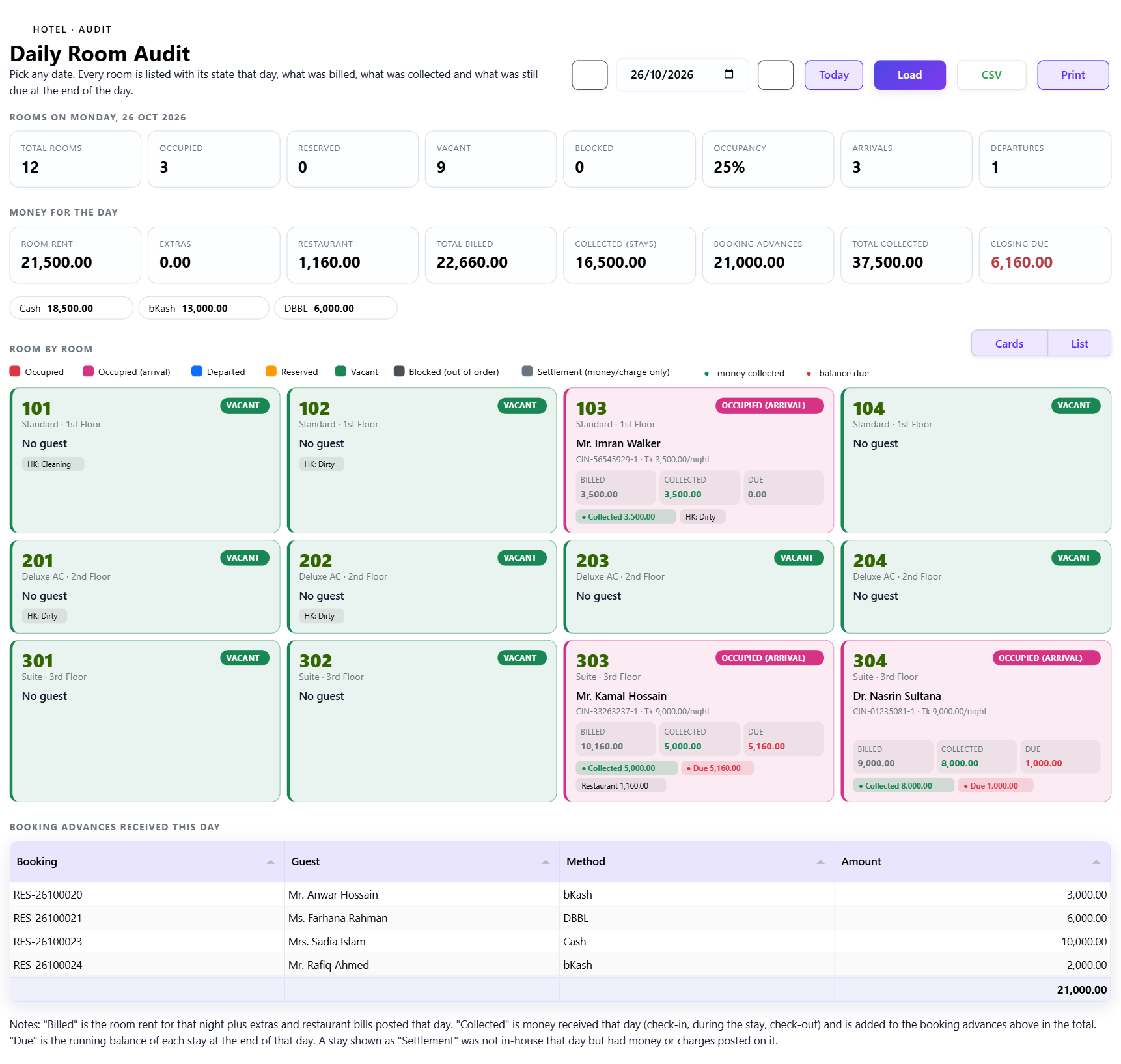
অ্যাকাউন্টস ম্যানেজার জানতে চান: ২৬ তারিখে কোন রুম খালি ছিল, কোনটিতে গেস্ট ছিল, কত বিল হয়েছিল, কত টাকা আদায় হয়েছিল আর কত বাকি? A Daily Room Audit answers this for any date in one screen.
What it shows
- Total, occupied, reserved, vacant and blocked rooms, occupancy %, arrivals and departures.
- Room rent, extras, restaurant, total billed, collected from stays, booking advances, total collected and the closing due.
- Collection split by cash, bank and mobile banking.
- For each room: the state that day, the guest, the night's rate, billed, collected and the balance due at the end of that day.
Card view and list view
Card view gives every room a coloured box: red for occupied, pink for arrival, blue for departed, amber for reserved, green for vacant and grey for blocked. List view keeps the same colours on every row with totals at the bottom. Both can be printed or downloaded as CSV.
Nothing is lost
A payment taken on a guest who was not in-house that day still appears, as a Settlement row, so the collection total always matches the cash book. Booking advances taken on that date are listed separately.
The audit trail around it
- Room Revenue report with service charge and VAT split.
- Discount, void and manual charge log showing who posted each line.
- Cashier shift with expected cash, counted cash and variance.
- Cancellation and no-show report with fees and refunds.
- Room change log and group billing report.
See also: Hotel night audit checklist.


Discussion (0)
Leave a Reply
No comments yet. Start the conversation!